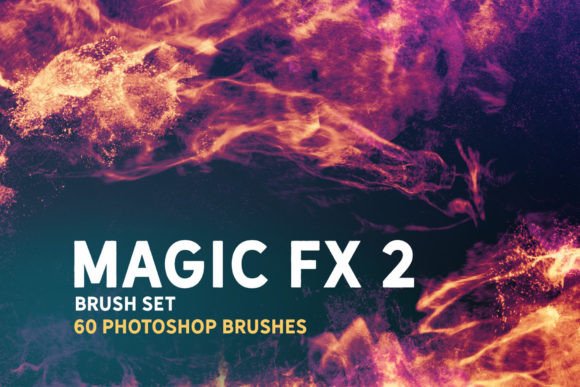
Unlocking Creative Potential with the Magic Fx 2 Photoshop Brush Set
In the rapidly evolving landscape of digital art, the tools an artist chooses can significantly influence both workflow efficiency and the final aesthetic quality of a piece. Among the myriad of resources available to modern creators, specialized brush libraries stand out as essential assets for achieving distinct visual styles. The Magic Fx 2 Photoshop Brush Set represents a sophisticated collection designed to bridge the gap between traditional texturing techniques and dynamic digital painting. This comprehensive toolkit offers sixty unique, high-resolution dynamic brushes that serve not merely as static stamp overlays but as fully functional painting instruments. For professionals and hobbyists alike, understanding how to integrate such a versatile toolset into various software ecosystems can dramatically enhance the depth and realism of digital illustrations, concept art, and matte paintings.
The Evolution from Static Stamps to Dynamic Painting Tools
Historically, many digital brush packs were limited to simple stamping functions, where a user would click to place a pre-defined shape or texture onto the canvas. While useful for quick embellishments, this approach often lacked the organic fluidity required for professional-grade artwork. The Magic Fx 2 Brush Set diverges from this limitation by offering true dynamic capabilities. These brushes respond to pressure, tilt, and speed, allowing artists to paint with them just as they would with traditional media. This functionality is crucial for creating natural-looking sketches and establishing a robust base for more complex illustrations.
The distinction between a static overlay and a dynamic brush lies in the variability of the stroke. When using the Magic Fx 2 set, each stroke can vary in opacity, size, and rotation based on the input from a graphics tablet or stylus. This interactivity enables the creation of textured lines that breathe life into concept art and matte painting projects. Instead of manually adjusting individual elements, artists can flow through their creative process, relying on the brush engine to generate realistic variations that mimic the unpredictability of physical materials.
Cross-Platform Compatibility and Workflow Integration
One of the most significant advantages of the Magic Fx 2 Photoshop Brush Set is its broad compatibility across multiple industry-standard applications. In an era where artists often switch between programs depending on the specific needs of a project, having a unified toolset that travels seamlessly across platforms is invaluable. The brushes are natively compatible with Adobe Photoshop CC, ensuring that users of the industry-leading raster graphics editor can immediately leverage the full potential of the set without complex configuration.
Beyond Photoshop, the set extends its utility to mobile and tablet-based workflows through compatibility with Procreate 5.0. This allows illustrators to begin sketches on the go using an iPad and later refine them on a desktop, maintaining consistency in texture and style. Furthermore, the inclusion of .abr files means that users of Clip Studio Paint v1.10.5 or newer can import these brushes directly. This is particularly beneficial for comic artists and manga creators who rely on Clip Studio’s robust line-art capabilities but desire the unique textural qualities offered by the Magic Fx 2 collection.
The versatility continues with support for Affinity Photo and Substance Painter. For 3D artists and texture designers working in Substance Painter, importing these brushes can aid in creating custom masks and hand-painted details on 3D models. Similarly, Affinity Photo users, who often seek cost-effective alternatives to Photoshop, can enjoy the same high-quality dynamic strokes. This cross-platform nature ensures that the investment in the brush set yields long-term value, regardless of shifts in software preference or project requirements.
Applications in Concept Art and Matte Painting
Concept art and matte painting demand a high degree of atmospheric depth and textural complexity. Artists in these fields often need to quickly establish mood and lighting while maintaining a level of detail that holds up under close scrutiny. The Magic Fx 2 Brush Set is ideally suited for these tasks due to its high-resolution dynamics. When creating environment concepts, the brushes can be used to lay down foundational textures for foliage, rock formations, or atmospheric effects like fog and smoke.
For matte painters, who combine live-action footage with digital elements, the ability to paint seamlessly into existing imagery is critical. The dynamic nature of these brushes allows for subtle blending and texturing that helps digital additions match the grain and lighting of the original footage. By using the brushes to add wear, tear, or environmental interaction, artists can achieve a photorealistic integration that static stamps simply cannot provide. The set serves as an excellent base for illustrations, providing the initial structural integrity upon which finer details can be layered.
Understanding Lighting and Glow Effects
A common misconception among new users of advanced brush sets is that the brushes themselves will automatically produce glowing or luminous effects. It is important to note that the Magic Fx 2 Photoshop Brush Set does not produce glow effects by default. This design choice offers greater control to the artist, allowing them to decide when and how light interacts with the painted elements. To achieve the desired luminous outcomes, users must engage with specific workflow techniques provided in the accompanying documentation.
For Photoshop users, the Sample Workflow.psd file is an essential resource. This file demonstrates the layer styles, blending modes, and adjustment layers necessary to transform standard brush strokes into glowing elements. By studying this workflow, artists can learn how to manipulate opacity, outer glows, and color dodging to create vibrant, energetic effects. This educational component ensures that users are not just applying presets but are actively learning the principles of digital lighting.
Procreate users are directed to the instructions contained in the included .txt file. Given the different layer handling and blending capabilities of Procreate compared to Photoshop, these specific instructions are vital for replicating the glow effects on iOS devices. Understanding these nuances allows artists to maintain visual consistency across different platforms, ensuring that a piece started on an iPad can be finished on a desktop without losing its intended luminous quality.
Enhancing Sketches and Illustrative Bases
While often associated with final rendering, the utility of the Magic Fx 2 set begins at the earliest stages of creation. Sketching with dynamic brushes provides a more organic feel than using standard hard-round brushes. The variation in stroke width and texture helps artists explore form and composition with greater expressiveness. These sketches serve as a strong foundation for subsequent layers, guiding the placement of light and shadow in the final illustration.
For illustrators, the set offers a way to break away from the sterile look of purely digital lines. By incorporating the textured strokes of the Magic Fx 2 brushes, artists can infuse their work with a sense of hand-crafted authenticity. This is particularly effective in genres that benefit from a painterly aesthetic, such as fantasy illustration or editorial art. The brushes allow for rapid iteration, enabling artists to test different compositional ideas quickly before committing to detailed rendering.
Technical Considerations for Optimal Performance
To fully leverage the capabilities of the Magic Fx 2 Brush Set, users should ensure their hardware and software are optimized for high-resolution dynamic brushes. Since these brushes are hi-res, they may require more processing power than standard brushes, particularly when used at large sizes or with complex spacing settings. Artists working on older hardware might experience slight latency, which can be mitigated by adjusting brush spacing or reducing the maximum brush size in the software preferences.
Additionally, understanding the specific import procedures for each supported application is crucial. While Photoshop and Procreate have straightforward import methods, Clip Studio Paint and Affinity Photo may require specific steps to ensure the dynamic settings are preserved during the transfer of .abr files. Users should consult the respective software documentation if they encounter issues with pressure sensitivity or texture mapping after import. Proper installation ensures that the dynamic behavior intended by the creators is fully realized in the user’s workspace.
In conclusion, the Magic Fx 2 Photoshop Brush Set offers a robust solution for digital artists seeking to enhance their textural palette and workflow efficiency. Its dynamic nature, cross-platform compatibility, and applicability across various artistic disciplines make it a valuable addition to any digital creator’s toolkit. By mastering the included workflows for lighting and glow effects, artists can unlock the full potential of these brushes, creating compelling and visually striking works that stand out in a crowded digital landscape.