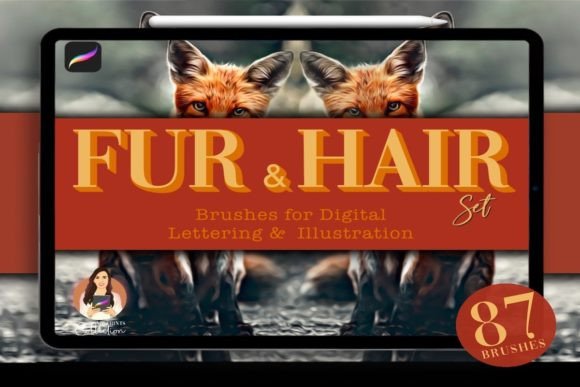
Mastering Realistic Textures with the 87 Fur Hair Procreate Brush Set
In the realm of digital illustration, texture is often the dividing line between a flat image and a compelling piece of art. For artists specializing in animal portraits, character design, or realistic environments, rendering fur and hair presents a unique set of challenges. It requires not just an understanding of anatomy and light, but also the right tools to simulate complex organic structures efficiently. This is where the 87 Fur Hair Procreate Brush Set becomes an essential component of a modern digital artist’s workflow. By integrating this specialized toolset into your creative process, you can significantly reduce the time spent on manual detailing while enhancing the visual fidelity of your work.
Understanding the Toolset and Its Role in Digital Art
The 87 Fur Hair Procreate Brush Set is not merely a collection of standard strokes; it is a curated library designed to address specific textural needs. With 87 distinct brushes, this pack covers a wide spectrum of organic materials, including wool, fluffy coats, curly locks, and grizzly textures. What sets this set apart is its versatility. It includes brushes that allow for color variation within a single stroke, mimicking the natural heterogeneity found in real animal fur and human hair. This capability is crucial for achieving depth and realism without resorting to tedious, layer-by-layer painting methods.
For professionals and hobbyists alike, the primary value of this brush set lies in its ability to streamline the rendering phase. In a typical digital painting workflow, artists often spend hours building up texture using basic round brushes or custom-made stamps. The 87 Fur Hair Procreate Brush Set replaces this repetitive labor with intelligent brush engines that respond dynamically to pressure and tilt. This allows the artist to focus more on composition, lighting, and narrative elements, rather than getting bogged down in the minutiae of individual strand placement.
Integration into Your Creative Workflow
To maximize the utility of the 87 Fur Hair Procreate Brush Set, it is important to understand where it fits within your broader project timeline. Effective integration involves preparation, execution, and refinement phases.
Preparation and Setup
Before beginning a new illustration, ensure your software environment is ready. This digital product requires Procreate App version 5 or higher. It is critical to note that these brushes are not compatible with Photoshop or Illustrator, so planning your toolchain accordingly is vital. Upon purchase, you will receive a download link for a zip file sized at 47.6 MB. This file contains the .brushset package. Installing it is straightforward: simply tap the file on your iPad, and it will automatically import into Procreate. Organizing these brushes into a dedicated folder within your brush library ensures quick access during intense painting sessions, preventing workflow interruptions.
Execution: Layering and Texture Building
During the painting process, the 87 Fur Hair Procreate Brush Set shines in the mid-to-late stages of development. Start by establishing the base shapes and colors of your subject. Once the foundational forms are solid, begin introducing texture. Use the wool and fluffy brushes to block in the general direction and volume of the fur. Because the set includes brushes with changing color properties, you can introduce subtle tonal variations early on, which helps avoid the "plastic" look common in digital art.
For areas requiring high detail, such as the face or hands of an animal portrait, switch to the finer grizzly or curly hair brushes. These tools allow for precise control over strand definition. A practical tip is to use multiple layers: a base texture layer, a mid-tone detail layer, and a highlight layer. This non-destructive approach allows you to adjust opacity and blending modes later, giving you greater control over the final appearance.
Refinement and Quality Control
After the initial texturing is complete, step back and evaluate the consistency of the fur or hair. Does the flow match the underlying anatomy? Are the highlights logical based on your light source? The 87 Fur Hair Procreate Brush Set facilitates easy adjustments. If a section looks too uniform, use the eraser function with a complementary brush to break up patterns. If certain areas lack depth, overlay additional strokes using the color-changing brushes to introduce complexity. This iterative process ensures that the final output maintains a high standard of quality and realism.
Practical Implementation Tips for Professionals
For freelancers, entrepreneurs, and content creators who rely on efficient production cycles, mastering this brush set can lead to significant time savings. Here are several strategies to enhance your implementation:
- Customize Brush Settings: While the default settings are optimized for general use, do not hesitate to tweak parameters like size jitter, opacity, and flow. Tailoring these settings to your specific style can yield unique results that distinguish your work from others using the same pack.
- Combine with Other Assets: The 87 Fur Hair Procreate Brush Set works best when combined with other resources. Use photo references for lighting and anatomy, and consider pairing these brushes with standard blending tools to soften transitions between textured and smooth areas.
- Maintain Consistency Across Projects: If you are working on a series of illustrations, such as a children’s book or a brand campaign, establish a standard workflow for using these brushes. Consistent application of texture techniques helps maintain a cohesive visual identity across all deliverables.
- Backup Your Work: Since this is a digital product, keep a backup of the original zip file. Additionally, regularly save your Procreate files in multiple formats (e.g., .procreate and .psd) to ensure compatibility with client review processes or archival needs.
Compatibility and Technical Considerations
Understanding the technical constraints of the 87 Fur Hair Procreate Brush Set is essential for smooth operation. As noted, the requirement for Procreate version 5 or higher is non-negotiable. Older versions may not support the advanced brush engine features utilized in this set, leading to unexpected behavior or missing functionality. Furthermore, because this is a digital-only product, there is no physical shipment. Ensure you have a stable internet connection for the initial download of the 47.6 MB zip file. Once downloaded, the brushes reside locally on your device, meaning they are available offline, which is beneficial for artists who work in transit or remote locations.
It is also worth considering the performance impact on your device. High-resolution canvases with multiple texture-heavy layers can consume significant memory. Monitor your iPad’s performance and manage layer counts wisely. Merging layers when appropriate, or using reference layers, can help maintain a responsive workspace while leveraging the full potential of the 87 Fur Hair Procreate Brush Set.
Long-Term Value and Skill Development
Investing in specialized tools like the 87 Fur Hair Procreate Brush Set is not just about immediate convenience; it is about long-term skill development. By using brushes that accurately simulate real-world textures, artists can deepen their understanding of how light interacts with fur and hair. This observational learning translates to improved skills even when using basic tools. Over time, the efficiency gained from using this set allows for more experimentation and creative risk-taking, fostering growth as an artist.
For educators and bloggers, this brush set serves as an excellent teaching aid. It demonstrates how digital tools can bridge the gap between traditional media techniques and modern digital workflows. Incorporating these brushes into tutorials or workshops can provide students with tangible results quickly, boosting confidence and engagement.
In conclusion, the 87 Fur Hair Procreate Brush Set is a powerful asset for any digital artist looking to enhance their textural capabilities. By understanding its features, integrating it thoughtfully into your workflow, and adhering to best practices for compatibility and organization, you can elevate the quality of your animal portraits and character designs. Whether you are a seasoned professional or an enthusiastic hobbyist, this toolset offers the precision and versatility needed to bring your creative visions to life with realism and efficiency.