Mastering Digital Hairstyling with Hair Brush Stamp Procreate Tools
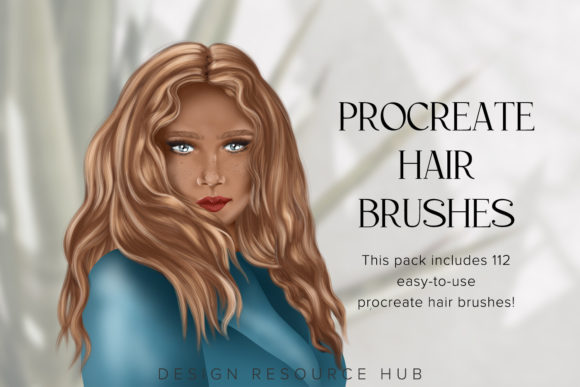
In the rapidly evolving landscape of digital illustration, efficiency and realism are paramount. Artists, character designers, and hobbyists constantly seek tools that bridge the gap between conceptual speed and professional polish. One such innovation transforming the workflow on the iPad is the specialized Hair Brush Stamp Procreate collection. These digital assets are not merely decorative; they are functional instruments designed to streamline the complex process of rendering hair, a task traditionally known for its time-consuming nature in digital painting.
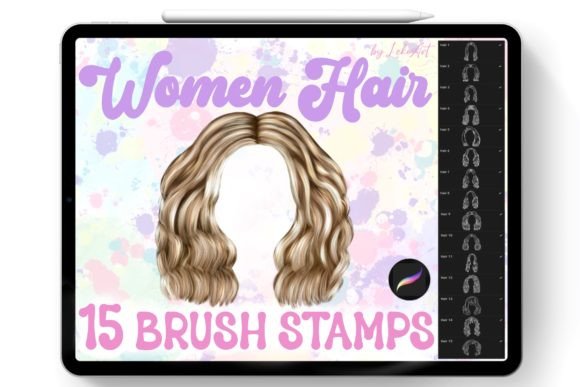
The introduction of a dedicated set of 15 hair brush stamps offers a significant leap forward for creators using Procreate. By integrating these tools into their arsenal, artists can bypass the tedious manual strokes required to build volume and texture from scratch. Instead, they gain the ability to construct intricate hairstyles with precision and speed, allowing more focus to remain on composition, lighting, and character expression. This article explores the technical nuances, practical applications, and strategic advantages of utilizing these specific brush sets within the Procreate ecosystem.
The Technical Advantage of Specialized Brush Stamps
Rendering hair digitally has always presented a unique challenge. Unlike solid objects, hair is composed of thousands of individual strands that interact with light, gravity, and movement in complex ways. Traditional methods often involve layering hundreds of semi-transparent strokes, a process that can clutter layers and slow down performance. The Hair Brush Stamp Procreate approach mitigates this by utilizing pre-designed stamp textures that mimic natural hair clusters.
These brushes are engineered to replicate the organic flow of hair groups rather than individual strands. When applied, they provide immediate volume and directionality. This method aligns with how professional concept artists think about hair: in shapes and masses first, details second. By using a stamp-based system, the artist establishes the foundational structure of the hairstyle instantly. This allows for rapid iteration, a crucial factor in professional environments where multiple design variations may be required within tight deadlines.
Furthermore, the integration of these brushes is seamless due to their specific formatting. The package includes a single zip file containing a Hair.brushset file. This format is optimized for the iPad environment. Upon downloading and opening the file on an iPad, the operating system recognizes the filetype and automatically imports the brushes directly into the Procreate library. This frictionless installation process ensures that creators can move from acquisition to creation without navigating complex file management systems or compatibility issues.
Workflow Integration and Practical Application
To fully leverage the potential of the 15 hair brushes included in this set, understanding the optimal workflow is essential. The process begins with the basic silhouette of the character’s head. Once the underlying anatomy is established, the artist selects the appropriate brush from the set based on the desired hair type—whether it be straight, wavy, curly, or voluminous.
Because these tools are exclusively compatible with Procreate for iPad, users benefit from the app’s robust gesture controls and Apple Pencil pressure sensitivity. Although these are stamp brushes, many are configured to respond to tilt and pressure, allowing for subtle variations in opacity and size. This dynamic response prevents the artwork from looking repetitive or "stamped-on," maintaining a hand-painted aesthetic despite the use of automated tools.
A typical workflow might involve three distinct phases. First, the base layer is created using larger, broader stamps to define the overall shape and volume of the hair. Second, mid-sized brushes are employed to break up the silhouette and add directional flow, creating the illusion of separate locks or sections. Finally, finer detail brushes are used sparingly to add flyaways and highlight specific strands where light hits the hair most directly. This layered approach ensures depth and realism, avoiding the flat appearance that often plagues rushed digital paintings.
Enhancing Realism Through Layering Techniques
The true power of the Hair Brush Stamp Procreate tools lies in their combinatory potential. No single brush stroke creates a perfect hairstyle; rather, it is the interplay of multiple stamps that achieves realism. Artists are encouraged to experiment with layer blending modes. For instance, setting a layer to "Multiply" can deepen shadows within the hair mass, while "Overlay" or "Add" can enhance highlights. By stacking different brushes from the 15-piece set, creators can simulate the complex light scattering that occurs in real hair.
Color variation is another critical component. Natural hair is rarely a single flat color. Using these brushes, artists can easily introduce subtle tonal shifts. By selecting slightly different shades for each stamp application, the hair gains a three-dimensional quality. The ease of use allows for quick color experimentation, enabling artists to test various palettes without committing to permanent changes until the desired look is achieved.
Target Audience and Use Cases
The versatility of this brush set makes it valuable across a wide spectrum of users. For professional character designers in gaming and animation, speed is currency. The ability to generate high-quality hair textures in minutes rather than hours allows for faster prototyping and client presentations. Educators teaching digital art fundamentals can use these tools to demonstrate the principles of form and light without getting bogged down in the minutiae of strand-by-strand rendering, keeping students engaged with visible progress.
Hobbyists and indie creators also benefit significantly. For those who may struggle with the technical difficulty of painting hair, these brushes serve as both a tool and a learning aid. By observing how the stamps construct volume, users can internalize the structural logic of hairstyles, eventually improving their freehand skills. Additionally, comic artists and illustrators working on tight publication schedules find these tools indispensable for maintaining consistency across multiple panels or characters.
It is important to note the specific hardware requirements. These brushes are designed strictly for the Procreate app on iPad. They will not function in other painting programs such as Photoshop, Clip Studio Paint, or Procreate Pocket on iPhone. This exclusivity ensures that the brushes are optimized for the specific rendering engine and touch interface of the iPad Procreate experience, maximizing performance and responsiveness.
Considerations for Optimal Results
While the Hair Brush Stamp Procreate set offers substantial advantages, successful implementation requires mindful usage. Over-reliance on stamps can lead to repetitive patterns if not managed correctly. To avoid this, artists should frequently rotate the canvas and vary the size of the brush strokes. Mirroring and flipping the canvas horizontally can also help identify unnatural symmetries or repetitions in the hair texture.
Another consideration is the resolution of the artwork. Since these are raster-based brushes, scaling them up significantly beyond their intended size may result in pixelation or loss of detail. It is advisable to work at a high canvas resolution from the start, ensuring that the brush stamps retain their crispness and texture fidelity. Regularly zooming out to view the artwork as a whole helps maintain perspective on how the hair integrates with the rest of the character design.
Maintenance of the brush set is minimal but worth noting. As with any digital asset, keeping the Procreate app updated ensures compatibility and performance stability. If issues arise during import, verifying that the file is indeed the Hair.brushset within the zip archive and not a misplaced image file can resolve common errors. The straightforward nature of the installation—open on iPad, auto-import—minimizes technical hurdles, allowing creators to focus on artistry.
Conclusion: Elevating Digital Artistry
The integration of specialized tools like the Hair Brush Stamp Procreate collection represents a maturation in digital art resources. By addressing a specific pain point—hair rendering—with a targeted solution, these brushes empower artists to achieve higher levels of quality and efficiency. Whether for professional production, educational purposes, or personal creative exploration, the ability to quickly create realistic hairstyles transforms the digital painting experience.
As digital platforms continue to evolve, the demand for smart, efficient tools will only grow. This set of 15 brushes stands as a testament to the value of specialized assets in enhancing creative workflows. By mastering these tools, artists not only save time but also expand their expressive capabilities, bringing their characters to life with greater vitality and realism. For those visiting the shop and considering this addition to their toolkit, the promise is clear: a streamlined path to professional-grade hair illustration, tailored specifically for the iPad creator.