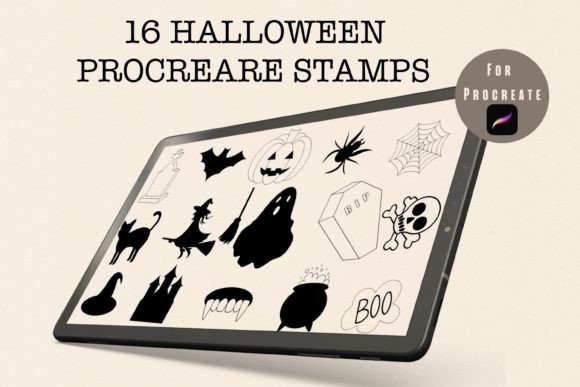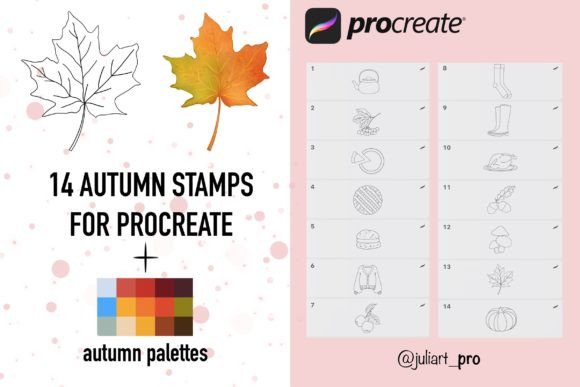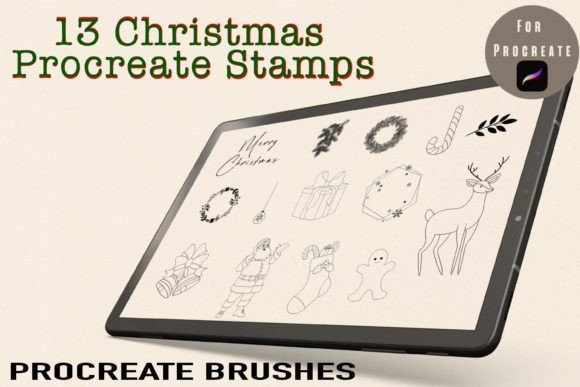
Enhancing Digital Halloween Designs with Procreate Alphabet Stamps
The intersection of seasonal creativity and digital efficiency often presents a challenge for artists and designers. As October approaches, the demand for themed content spikes across social media, educational materials, and personal projects. For iPad users relying on Procreate, the Halloween Alphabet Procreate Brush Stamp offers a streamlined solution to this recurring need. Rather than hand-lettering every character or sourcing disparate clipart elements, these specialized brush sets provide a cohesive, customizable toolkit. This article explores the utility of these stamps, compares them to alternative design methods, and helps you determine if this resource aligns with your workflow.
Understanding the Tool: More Than Just Clipart
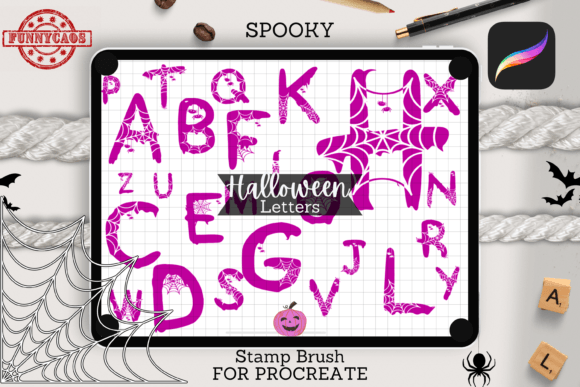
At its core, the Halloween Alphabet Procreate Brush Stamp is a custom brush set containing twenty-six individual stamps, each representing a letter of the alphabet. Unlike standard image files that must be imported, resized, and rotated manually within layers, these stamps function directly within the Procreate brush engine. When you tap the screen with the Apple Pencil, the corresponding letter appears instantly. This integration allows for a fluid design process where typography becomes as intuitive as sketching.
The distinct advantage here lies in the seamless interaction with Procreate’s native features. Because the stamps are vector-based or high-resolution raster images embedded within the brush tool, they retain clarity when scaled. Users can adjust the size of each letter dynamically using pressure sensitivity or slider controls, ensuring consistent visual weight throughout a composition. Furthermore, the ability to change colors instantly via the color picker means that a single brush set can yield infinite variations, from spooky orange gradients to muted pastel goth aesthetics.
Comparing Workflow Efficiency: Stamps vs. Manual Lettering
When evaluating design tools, it is essential to consider the tradeoff between customization and speed. Hand-lettering remains the gold standard for unique, organic typography. However, it requires significant time, skill, and consistency. For a project requiring a full alphabet or repeated phrases, manual lettering can become tedious and prone to stylistic inconsistencies.
In contrast, using Halloween Letters Stamps prioritizes efficiency without sacrificing thematic integrity. Consider the scenario of creating a digital sticker sheet. Manually drawing twenty-six themed letters might take several hours. Using the brush stamp set, the same task can be completed in minutes, allowing the designer to focus on layout, background elements, and embellishments. This does not mean the output is generic; because each stamp can be rotated, resized, and layered with other textures, the final result can still feel bespoke and handcrafted.
However, this approach has limitations. If your project demands highly specific ligatures or complex typographic flourishes that deviate from the standard alphabet structure, manual lettering or advanced vector software may still be necessary. The brush stamps are best suited for projects where speed and thematic consistency are paramount, such as social media graphics, classroom worksheets, or quick greeting cards.
Evaluating Alternatives: PNG Packs and Vector Libraries
Many designers traditionally rely on PNG packs or vector libraries sourced from stock websites. While these resources offer high quality, they introduce friction into the mobile design workflow. Importing individual PNG files into Procreate requires navigating file menus, managing multiple layers, and adjusting transform handles for each element. This process disrupts creative flow and can clutter the layer panel, making edits cumbersome.
The Halloween Alphabet Procreate Brush Stamp eliminates these intermediate steps. By keeping the assets within the brush library, users maintain a clean workspace. Additionally, unlike static PNGs, brush stamps can be easily duplicated and modified on the fly. If a user decides to change the color scheme of an entire word, they can simply select the letters and apply a new hue uniformly, a task that is far more labor-intensive with separate image files.
Vector tools like Adobe Illustrator offer superior scalability and precision but lack the tactile, intuitive nature of Procreate on the iPad. For artists who prefer a pen-and-paper feel, transitioning between desktop vector software and mobile illustration apps can be jarring. The brush stamp bridges this gap, offering the precision of pre-made assets with the freedom of digital painting.
Practical Applications and Use Cases
The versatility of the Halloween Alphabet Procreate Brush Stamp extends beyond simple text insertion. Its utility shines in various practical applications:
- Digital Stickers: Create cohesive sticker packs for planners or messaging apps. The uniform style ensures that each letter feels part of a unified collection.
- Educational Worksheets: Teachers and homeschooling parents can quickly generate engaging Halloween-themed activities, such as word searches or alphabet tracing sheets, by combining stamps with drawing tools.
- Social Media Graphics: Design eye-catching stories and posts with minimal effort. The ability to rapidly experiment with different letter arrangements allows for quick A/B testing of visual layouts.
- Logo Concepts: While not a replacement for professional logo design software, these stamps can help brainstorm initial concepts for seasonal promotions or event branding.
Each of these use cases benefits from the rapid iteration capability provided by the brush set. Designers can test multiple compositions in the time it would typically take to draft a single layout manually.
Technical Requirements and Compatibility
Before integrating this tool into your workflow, it is crucial to understand its technical constraints. The Halloween Alphabet Procreate Brush Stamp is exclusively designed for the Procreate application on iPad. It is not compatible with Android tablets, desktop Photoshop, or other illustration software. This specificity is both a strength and a limitation. For Procreate users, the integration is flawless. For those using alternative platforms, this resource is inaccessible.
To utilize the brush set effectively, you will need:
- An iPad (iPad Pro recommended for optimal performance).
- The Procreate app installed.
- An Apple Pencil or compatible stylus for precise placement.
The product typically arrives as a ZIP folder containing the brush set file. Installation is straightforward: users import the file directly into Procreate’s brush library. Once installed, the twenty-six stamps are ready for immediate use. It is important to note that while the brushes are easy to install, they require familiarity with Procreate’s interface to maximize their potential. Beginners may need to spend time learning how to adjust brush properties, such as spacing and size jitter, to achieve the desired effect.
Making the Decision: Is This Resource Right for You?
Choosing the right design resource depends on your specific needs, skill level, and workflow preferences. The Halloween Alphabet Procreate Brush Stamp is an ideal choice if you value speed, consistency, and ease of use within the Procreate ecosystem. It is particularly beneficial for content creators, educators, and hobbyists who need to produce high volumes of themed content regularly.
However, if your work requires absolute typographic control, complex custom lettering, or cross-platform compatibility, you may find this tool limiting. In such cases, investing time in mastering manual lettering techniques or utilizing vector-based design software might yield better long-term results.
Ultimately, the decision comes down to balancing efficiency with creative control. For many iPad artists, the Halloween Letters Stamps offer a compelling middle ground, providing professional-looking results with minimal friction. By understanding the strengths and limitations of this tool, you can make an informed decision that enhances your digital art practice without compromising your creative vision.
As you explore options for your next Halloween project, consider how this brush set fits into your broader design strategy. Whether you are creating playful stickers for friends or professional-grade marketing materials, the right tools can significantly impact your productivity and enjoyment of the creative process.